KeyOnAir
Offline media player
KeyOnAir is a professional audio player for venues, events and theatre. The PC connected to the mixer plays the audio; you control it remotely over the local network, from your phone, tablet or computer: in the browser or with the app.
- Works without internet
- Windows, Linux and Raspberry
- Lifetime license, no subscription
- 30-day free trial
KeyOnAir in four points
Plays from the mixer, controlled remotely
The server plays the audio and is connected to the mixer or audio source. You control it remotely over the local network, no internet needed.
App or browser, on any device
There are desktop apps for several operating systems, but you can also control it from the browser of any device.
Windows, Linux and Raspberry
The server runs on all the main operating systems, including Raspberry.
Lifetime license
Pay once: no subscription, and updates included.
How it works
The server plays
KeyOnAir runs on a computer connected to the mixer or audio source of your sound system. The audio comes out from there.
The local network connects them
The server and the remote control are on the same Wi‑Fi or LAN. No internet needed.
You control it from wherever you like
From your phone, tablet or computer, open the browser or the app and control music, playlists and spots.
It also works in theatres and venues where the internet connection is weak or missing: local Wi‑Fi or LAN is all you need.
Who it's for
Venues and shops
Continuous background music with spots inserted at regular intervals.
Events and parties
Ready-made playlists, smooth transitions between tracks, remote control.
Theatre and shows
Backing tracks launched remotely, fade-out pause, never an abrupt cut in the audio.
Audio services and background DJs
A tidy library, named playlists, volume from your phone.
What it can do
Playback
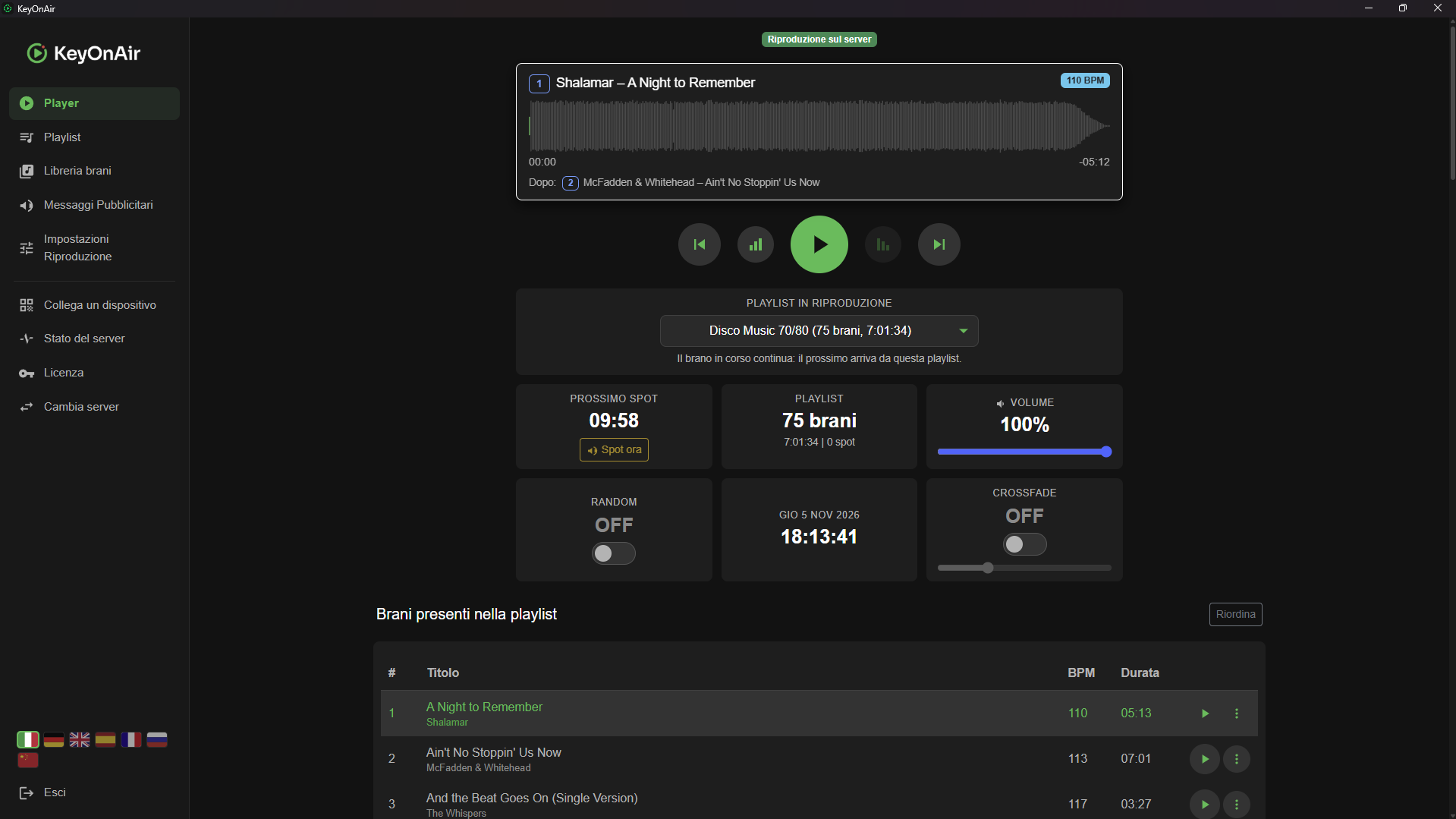
- Play, pause, previous and next track, volume
- Crossfade between tracks, adjustable from 1 to 12 seconds
- Fade-out pause from 1 to 15 seconds (a second click cancels the pause)
- Shuffle that remembers the tracks already played
- Clickable waveform to jump within the track, with remaining time and next track always visible
- Currently playing track highlighted even while you scroll the list
- BPM read from tags or calculated automatically
Playlists and library
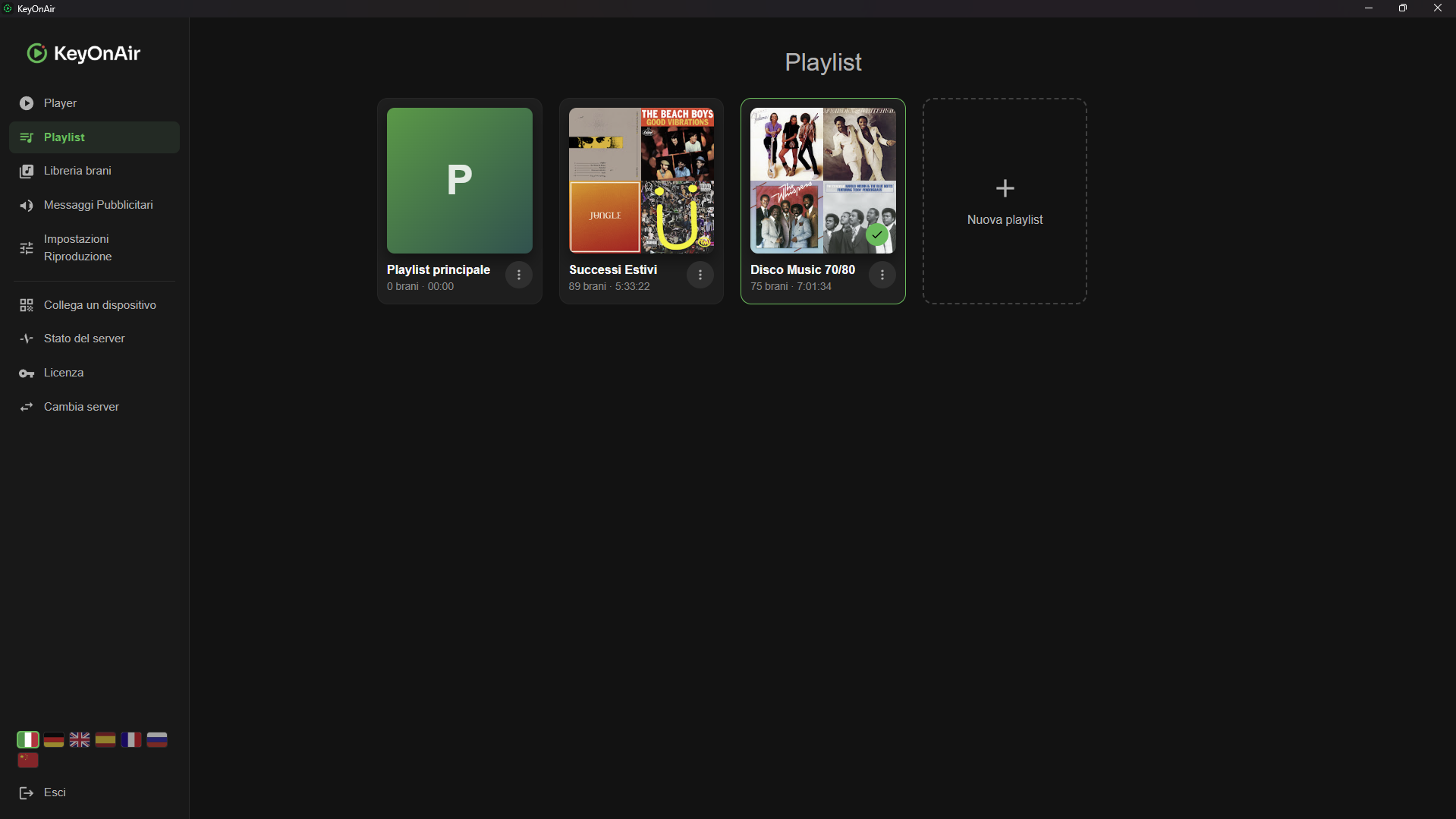
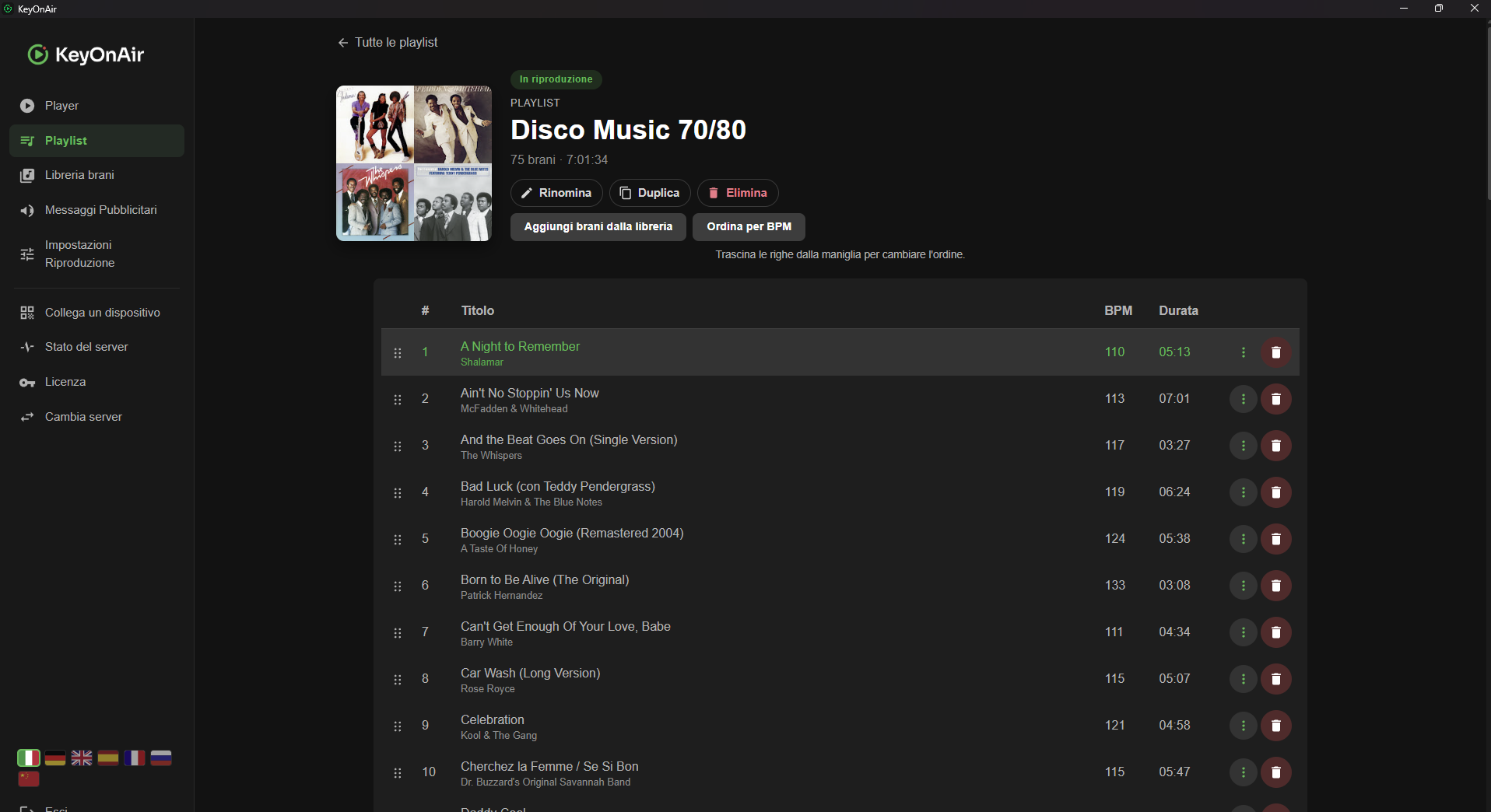
- Multiple named playlists: create, rename, duplicate, delete
- Reorder tracks by dragging
- Library for thousands of tracks, with search by artist, title and album, column sorting and pagination
- Upload by dragging files: then choose whether to keep them in the library only, add them to a playlist or create a new one
- Tags read directly from the files, plus a list of the most recently imported tracks
Audio spots
- Upload your own audio spots and have them play at regular intervals, from 1 to 120 minutes, at the end of the current track
- On/off switch, countdown to the next spot
- “Spot now” button to play one straight away
Where the audio comes out
- On the server: the computer connected to the mixer, with a selectable sound card
- Locally: in the browser of the device where you press Play
Remote control
- Open the server address in a browser, from any device, or use the apps for Android, Windows and Linux (with a system tray icon)
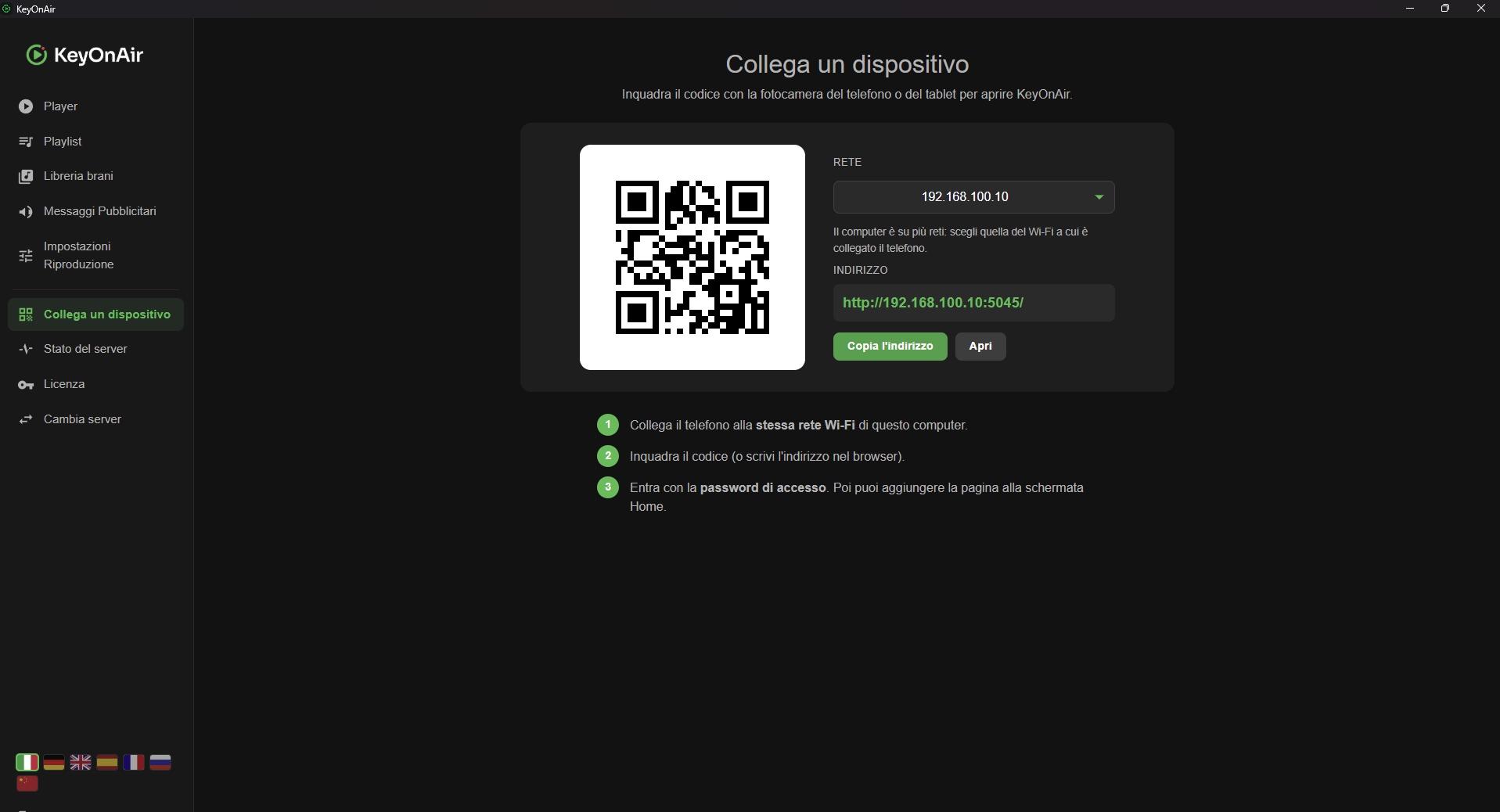
- “Connect a device” page with a QR code: the Android app scans it with the camera
- Password protection (after 5 wrong attempts, a 30-second wait)
- Multiple devices connected at the same time
Installation and use
- Guided setup: address, port and password in a few minutes
- Starts with the computer: Windows service at startup or login, system service on Linux
- Update and uninstall from the same installer, without losing tracks and playlists
- Interface in 7 languages (Italian, English, German, Spanish, French, Russian and Chinese), chosen automatically from the browser
Download
30 days with all features. To download the trial you need a free Key Interactive account. If you like it, you activate the license and carry on without reinstalling anything.
Sign in with your account to download the app.
Requirements
- Server
- 64-bit Windows 10/11, 64-bit Linux or Raspberry; audio output connected to the mixer or audio source.
- Audio formats
- On Windows: mp3, wav, m4a. On Linux: mp3, wav.
- Remote controls
- Any device with a modern browser; plus the apps for Android (Android 6 or later), Windows and Linux.
- Network
- Wi‑Fi or LAN shared between the server and the remote control. Internet not required.
Frequently asked questions
Which systems does it run on?
The server runs on Windows, Linux and Raspberry. To control it all you need is a browser, on any device; there are also apps for Android, Windows and Linux.
Do I need internet?
No. Neither to use it nor to activate the license: the server and the remote control communicate over the local network, and the license is a text you paste into the program, which works offline.
What happens when the trial ends?
The track that is playing never stops: the license is only needed to start new playback.
How many devices can I use?
One license per server computer, unlimited remote controls.
Are updates included?
Yes, updates are included with your license at no extra cost.
Do I have to sign up to try it?
To download the program you need a free Key Interactive account: it takes a minute. Once installed, the 30-day trial works without an account and without internet.